ADB-Toolkit
→ View on GitHubAI Summary: ADB-Toolkit is a comprehensive toolkit designed for testing and auditing Android Debug Bridge (ADB) configurations and vulnerabilities. Its primary use case lies in enhancing the security of Android devices by providing features such as device enumeration, file management, and installation of applications via ADB commands. Notable features include a user-friendly interface and extensive enhancements for common tasks associated with ADB, making it suitable for both developers and security researchers.
README





Tool for testing your Android device and HaHaHack someone Android Phone ( Don't use with wrong intentions ) 🤘🤘
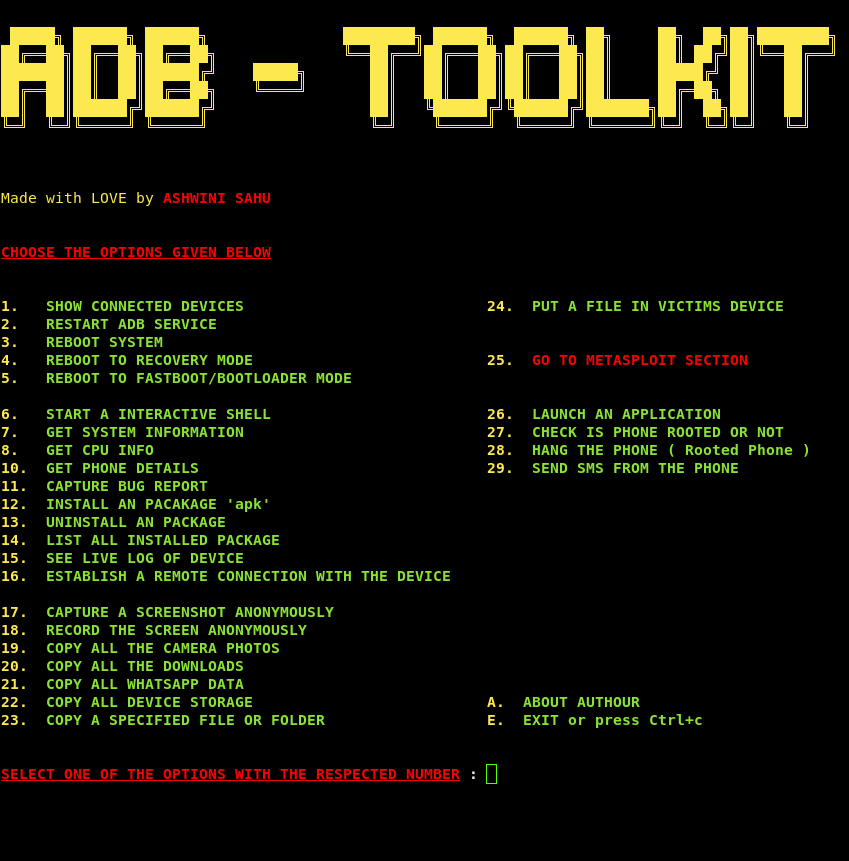
ADB-Toolkit is a BASH Script with 28 options and an METASPLOIT Section which has 6 options which is made to do easy penetration testing in Android Device. You can do preety much any thing with this script and test your android device is it safe or not. This script is made with the help of ADB (Android Debug Bridge) it’s an tool which is used for the developers for debugging the android device but as we know every thing has it’s two side a good and a bad and i’m not telling you to do bad things but be don’t do illegal things or FBI will find you 😂😂.
Note : I’m not responsible for any thing you do to anyone with this tool this does not come under my responsibilty.
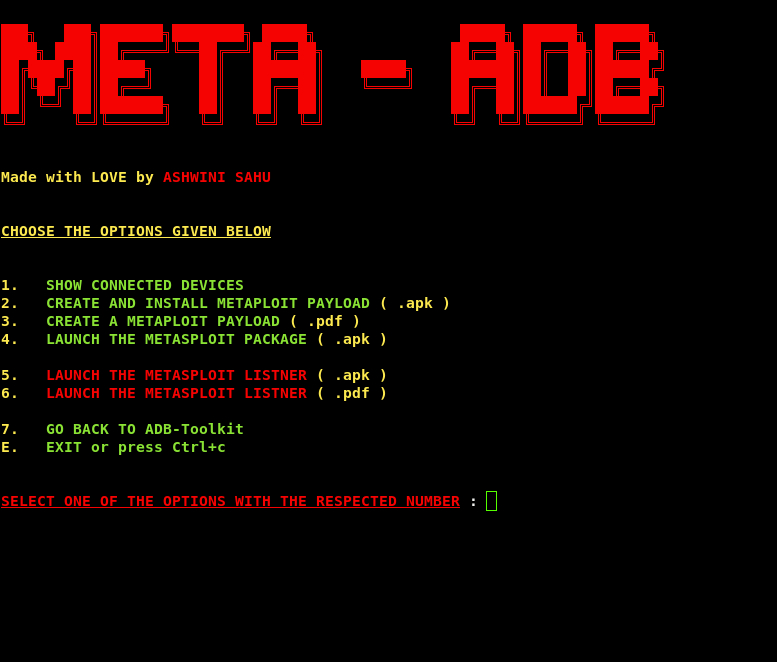
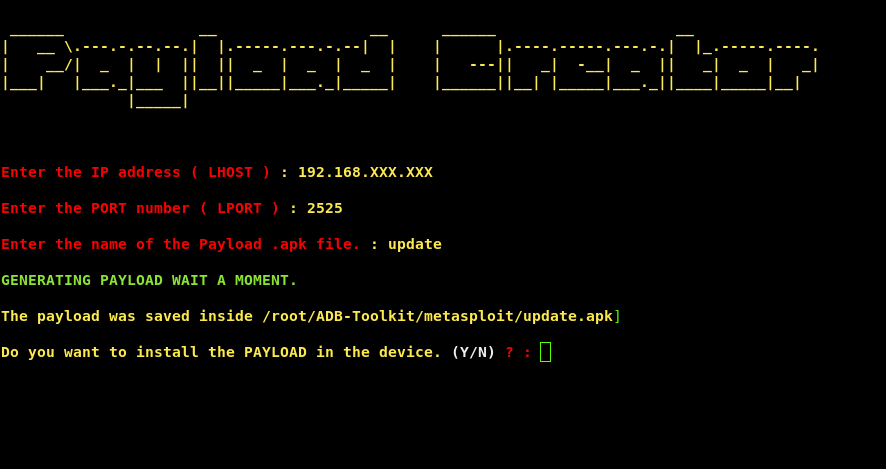
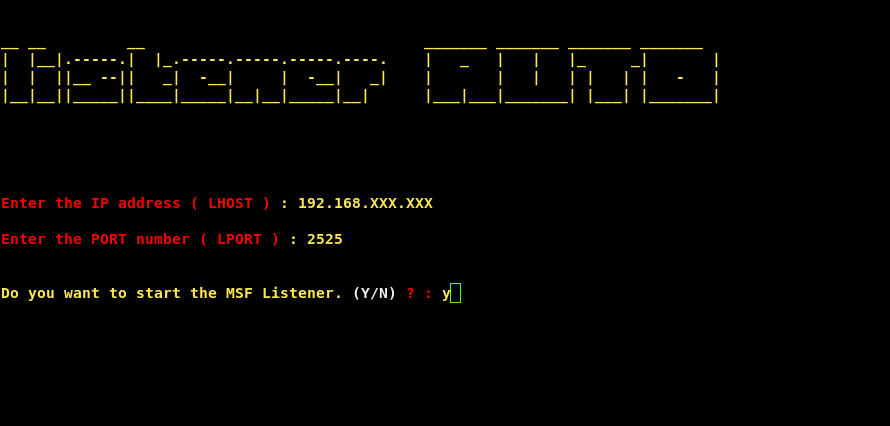
**METASPLOIT SECTION :- 😎**This section consists of scripts which are related to metasploit payload and you can create an payload and install it and launch it without even touching the phone and you know the power of Metasploit.
Changelogs
Changelog v2.32
Added vesion checking code
Really big bug fixes
Wiki in made
Changelog V2.3
Added multi device support, now 3
Added support to Arch, Fedora, Centos
Added option to restart the ADB server or not in the beginning of the script
Added Option to clear screen when a specfic option is done executing
Fix the Exit option (Not Working)
Simplified the Remote connection establishment
Fix 100's of Bugs
Specified the directories for pulling the data
Make the script executable from any where in shell (Fixed)
Changelog V2.1
Added Metasploit Section

Added option to restart the ADB server or not in the beginning of the script

Added 7 more options :-
1. COPY ALL DEVICE STORAGE
2. COPY A SPECIFIED FILE OR FOLDER
3. PUT A FILE IN VICTIMS DEVICE
4. LAUNCH AN APPLICATION
5. CHECK IS PHONE ROOTED OR NOT
6. HANG THE PHONE ( Rooted Phone )
7. SEND SMS FROM THE PHONE

Fixed the Remote connection not establishing
Make the script executable from any where in shell
Prerequisite
Before using this tool you must enable Usb-Debugging from the devloper settings from the Android setting and then you are good to go.
1. Go to settings
2. Go to About device/tablet
3. Tap Build Number 7 times
4. Developer options will occur
5. Go to Developer options
6. Search for Usb Debugging & Install via USB
7. Turn those settings on
Installation
Guys i suggest please reinstall the toolkit or git pull it for every new releases
foo@bar:~$ git clone https://github.com/ASHWIN990/ADB-Toolkit.git

foo@bar:~$ cd ADB-Toolkit

foo@bar:~$ sudo chmod +x install.sh

foo@bar:~$ sudo ./install.sh -i
Usage
foo@bar:~$ sudo ./ADB-Toolkit.sh

"or you can do"

foo@bar:~$ sudo bash ADB-Toolkit.sh
ADB-Toolkit Screenshot
Metasploit Section Screenshot
Contributing
Pull requests are welcome. For major changes, please open an issue first to discuss what you would like to change.
Support Me

Author
- ASHWINI SAHU - WHOLE WORK - (https://github.com/ASHWIN990)