FavFreak
→ View on GitHubAI Summary: FavFreak is a reconnaissance tool that streamlines the process of gathering information using favicon hashes from a list of URLs. It fetches the favicon.ico for each URL, computes its hash, and matches it against a predefined fingerprint dictionary to identify known services. Key features include sorting results by favicon hashes and generating Shodan dorks, making it a valuable asset for bug bounty hunters and OSINT investigations.
README
FavFreak - Weaponizing favicon.ico for BugBounties , OSINT and what not

Detailed Description about this can be found here :
Read Blog here : https://medium.com/@Asm0d3us/weaponizing-favicon-ico-for-bugbounties-osint-and-what-not-ace3c214e139
Introduction
I have created this tool for making my work easier when it comes to recon using Favicon hashes, it takes a list of urls (with https or http protocol) from stdin ,then it fetches favicon.ico and calculates its hash value. It sorts the domains/subdomains/IPs according to their favicon hashes and the most interesting part is , It matches calculated favicon hashes with the favicon hashes present in the fingerprint dictionary , If matched then it will show you the results in the output, there is option to generate shodan dorks as well (that is pretty basic and you can do it manually as well)
How to install and use
Note : Tested with python3.6.9 on Ubuntu/Kali
$ git clone https://github.com/devanshbatham/FavFreak
$ cd FavFreak
$ virtualenv -p python3 env
$ source env/bin/activate
$ python3 -m pip install mmh3
$ cat urls.txt | python3 favfreak.py
Example Run :
Note : URLs must begin with either http or https
$ cat urls.txt
https://example.com
https://test-example.com
http://hack-example.com
.. .. .. ..
.. .. .. ..
AND SO ON
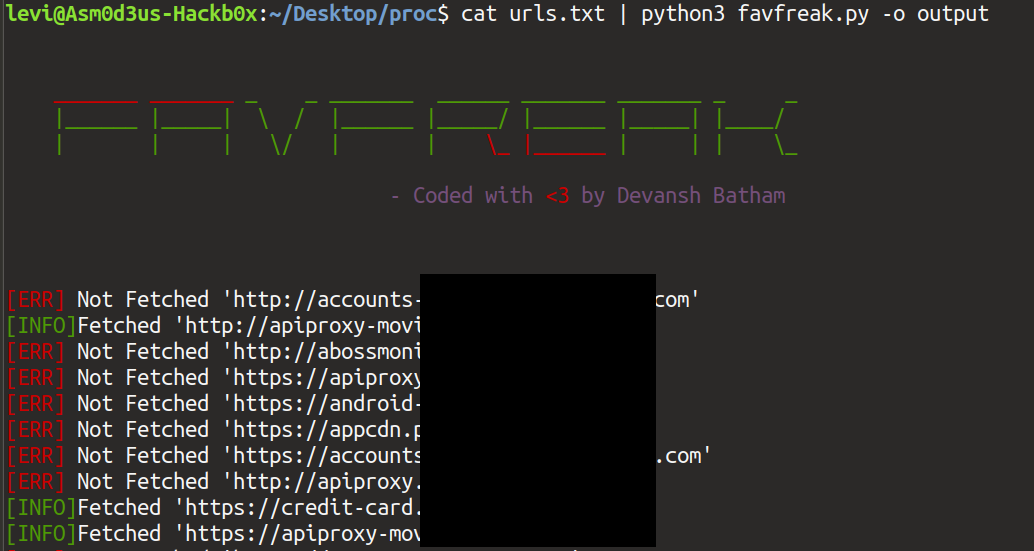
$ cat urls.txt | python3 favfreak.py -o output
Fetching /favicon.ico and generating hashes :
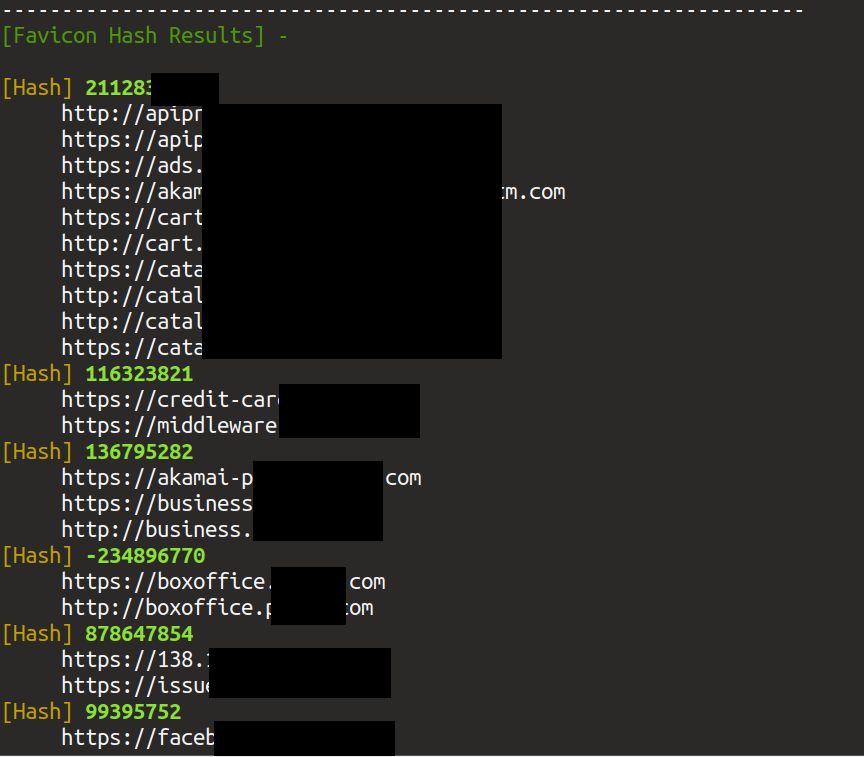
Subdomains/IPs Sorted according to their Favicon hashes :
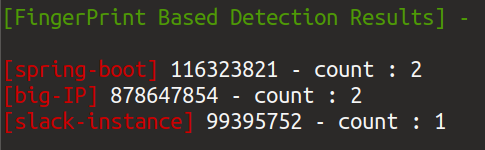
FingerPrint Based favicon Hash detection :
Fingerprint dictionary looks like this :
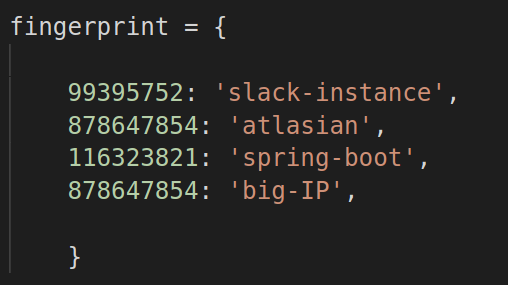
Add your own fingerprints
Edit favfreak.py , you will find a dictionary named 'fingerprint' ,
Add your fingerprints in that dictionary !
Contact
Shoot my DM : @0xAsm0d3us